Examples
Music
View on GitHubAlbums in a horizontal row above a searchable song library, a pushed album screen with a play-all button, and a mini player that docks above the tab bar and opens into a full-screen player with a real seek slider.
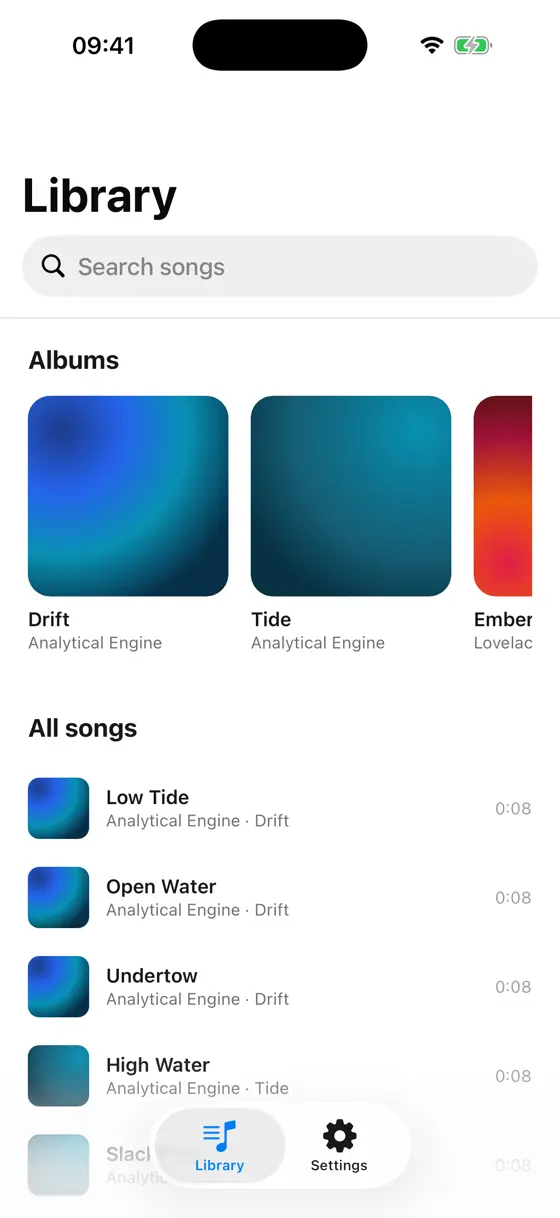
Library, iOS, light 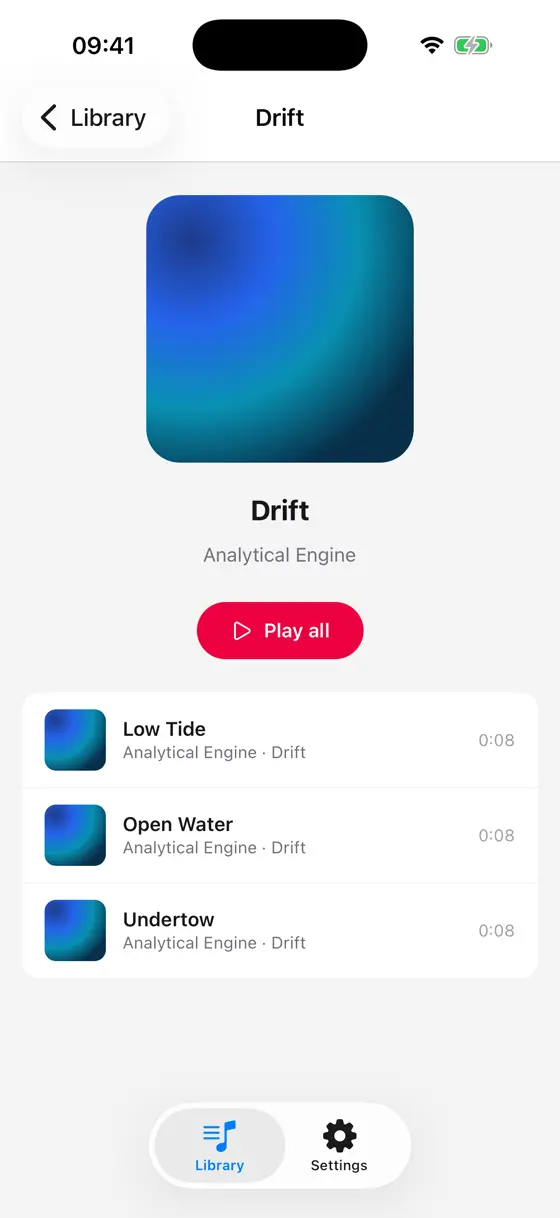
Album, iOS, light 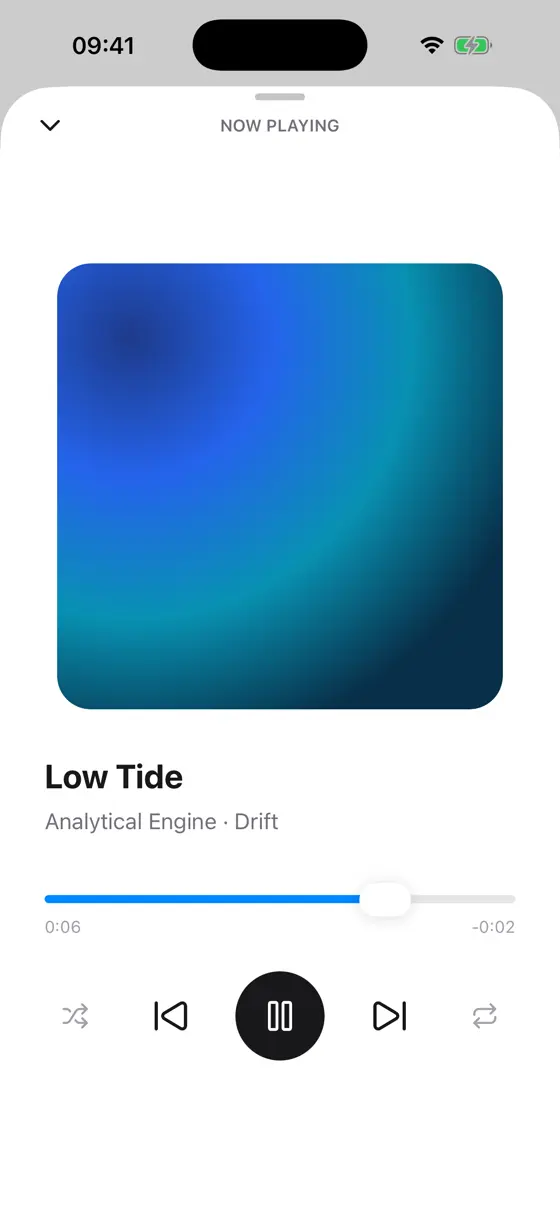
Now playing, iOS, light 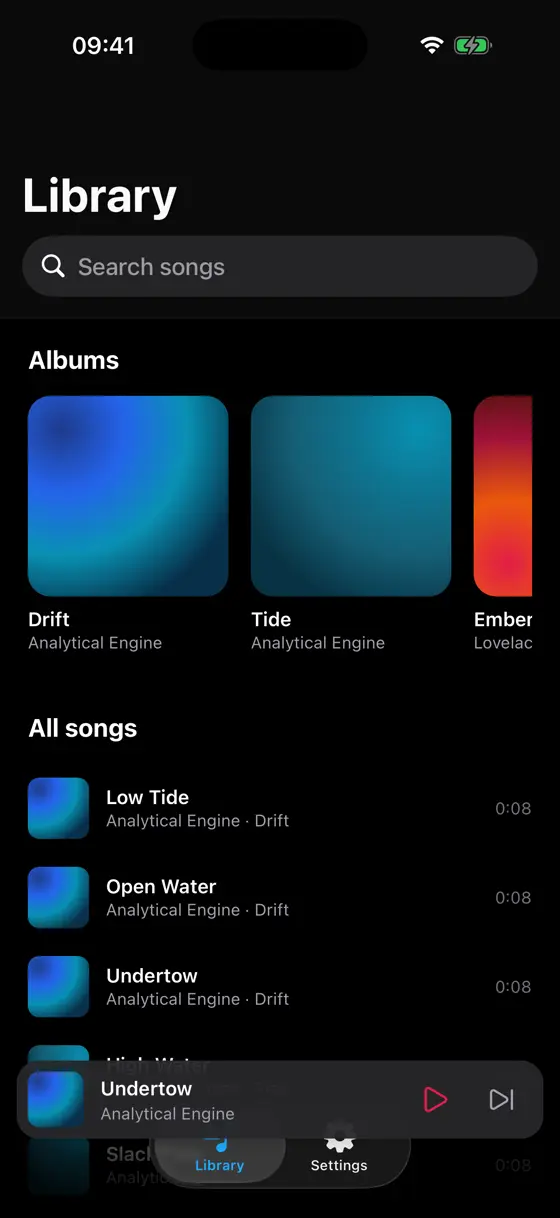
Library, iOS, dark 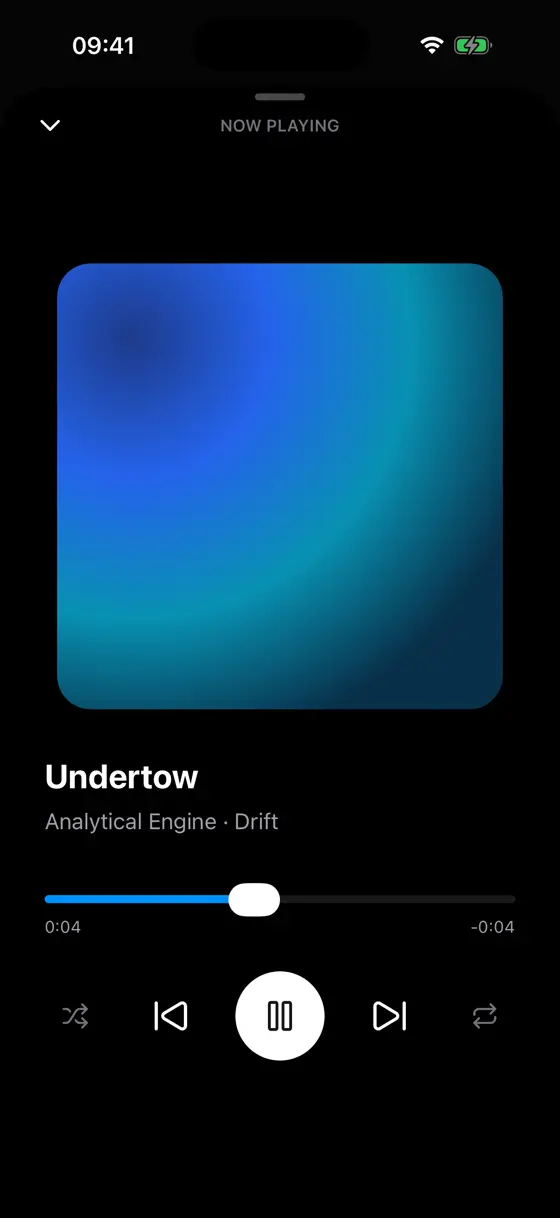
Now playing, iOS, dark
What it shows
- PlayeraudioPlayer() drives real playback, released automatically when a screen goes.
- Native tabsA UITabBarController on iOS and a bottom navigation bar on Android.
- Screens and navigationAlbum pushes onto the library stack; Now Playing presents as a sheet.
- Virtual listEvery song, with the albums row riding as the list's own listHeader.
- Native headerThe library's large title, with a search bar in the navigation bar.
- Expo UIThe seek bar in Now Playing is a real SwiftUI/Compose slider, not a drawn one.
- Keep awakeThe screen stays on while a track plays, and lets go the moment it stops.
- Colour schemeNow Playing's icons follow light and dark mode, not just its stylesheet.
- Testsapp.test.ts opens an album and starts playback against a fake player.
Run it
Clone the repository and start the app with Expo. Press i for the iOS simulator, a for the Android emulator, or scan the code with Expo Go.
git clone https://github.com/ng-native/ng-native.gitcd angular-native && pnpm installcd examples/music && pnpm startThe code
Every file in the app, as it is in the repository.
src/app/library/library.tsOn GitHub
import { Component, computed, inject, signal } from '@angular/core';
import { Pressable, ScrollView, Text, View, VirtualList } from '@ng-native/components';
import {
  NativeHeader,
  NativeHeaderItem,
  NativeNavigation,
  NativeSearchBar,
  NativeStackOutlet,
} from '@ng-native/router';
import { Catalogue, type Album, type Track } from '../catalogue/catalogue.ts';
import { Playback } from '../player/playback.ts';
import { MiniPlayerBar } from '../now-playing/mini-player-bar.ts';
import { AlbumCard } from './album-card.ts';
import { TrackRow } from './track-row.ts';

/**
 * The library tab is a stack of its own: the native header its large title and search bar need.
 * The mini player sits over the whole stack, so it stays put as albums are pushed and popped.
 */
@Component({
  selector: 'app-library-stack',
  imports: [MiniPlayerBar, NativeStackOutlet],
  template: `
    <native-stack-outlet />
    <app-mini-player-bar class="absolute bottom-0 left-0 right-0" />
  `,
})
export class LibraryStack {}

/**
 * Every album, in a horizontal row, and every track, searchable and in a virtual list below it -
 * the row rides as the list's `listHeader`, so both scroll together in one native scroll view.
 */
@Component({
  selector: 'app-library',
  imports: [
    AlbumCard,
    NativeHeader,
    NativeHeaderItem,
    NativeSearchBar,
    Pressable,
    ScrollView,
    Text,
    TrackRow,
    View,
    VirtualList,
  ],
  template: `
    <native-header title="Library" [largeTitle]="true">
      <native-header-item type="searchBar">
        <native-search-bar testID="search" placeholder="Search songs" [(query)]="query" />
      </native-header-item>
    </native-header>
    <virtual-list
      #list
      testID="tracks"
      class="flex-1 bg-white dark:bg-black"
      contentInsetAdjustmentBehavior="automatic"
      [items]="shown()"
      [itemHeight]="rowHeight"
    >
      @if (!searching()) {
        <view listHeader class="px-5 pt-4 pb-2">
          <text class="mb-3 text-lg font-bold text-zinc-900 dark:text-white">Albums</text>
          <scroll-view class="h-52" horizontal showsHorizontalScrollIndicator="false">
            <view class="flex-row gap-4 pb-2">
              @for (album of albums; track album.id) {
                <pressable
                  class="w-36"
                  accessibilityRole="button"
                  [accessibilityLabel]="album.title"
                  (press)="openAlbum(album.id)"
                >
                  <app-album-card [album]="album" />
                </pressable>
              }
            </view>
          </scroll-view>
          <text class="mt-4 mb-1 text-lg font-bold text-zinc-900 dark:text-white">All songs</text>
        </view>
      }
      @for (row of list.window(); track row.slot) {
        <pressable
          class="justify-center px-5 active:bg-zinc-100 dark:active:bg-zinc-900"
          accessibilityRole="button"
          [style]="row.style"
          (press)="play(row.item)"
        >
          <app-track-row
            [track]="row.item"
            [album]="albumOf(row.item)"
            [playing]="isPlaying(row.item)"
          />
        </pressable>
      }
    </virtual-list>
    @if (!shown().length) {
      <view class="absolute inset-x-0 top-1/3 items-center">
        <text class="text-zinc-500">No songs match "{{ query() }}"</text>
      </view>
    }
  `,
})
export class Library {
  private readonly catalogue = inject(Catalogue);
  private readonly playback = inject(Playback);
  private readonly navigation = inject(NativeNavigation);

  protected readonly albums = this.catalogue.albums;
  protected readonly rowHeight = 64;
  protected readonly query = signal('');
  protected readonly searching = computed(() => this.query().trim().length > 0);
  protected readonly shown = computed(() => {
    const query = this.query().trim().toLowerCase();
    if (!query) return this.catalogue.tracks;
    return this.catalogue.tracks.filter((t) =>
      `${t.title} ${t.artist} ${this.albumOf(t).title}`.toLowerCase().includes(query),
    );
  });

  protected albumOf(track: Track): Album {
    return this.catalogue.album(track.albumId)!;
  }

  protected isPlaying(track: Track): boolean {
    return this.playback.playing() && this.playback.current()?.id === track.id;
  }

  protected play(track: Track): void {
    this.playback.playQueue(this.catalogue.tracks, track.id);
  }

  protected openAlbum(id: string): void {
    void this.navigation.push(['/library/album', id]);
  }
}