Angular NativeAlpha 0.x
Build native apps with Angular.
Angular components that render as real UIView and android.view.View, built and shipped with Expo. Write templates, signals and services as you do on the web, and style them with CSS and Tailwind.
npx create-expo-app@latest my-app --template @ng-native/templateAngular 22 · Expo SDK 57 · iOS and Android
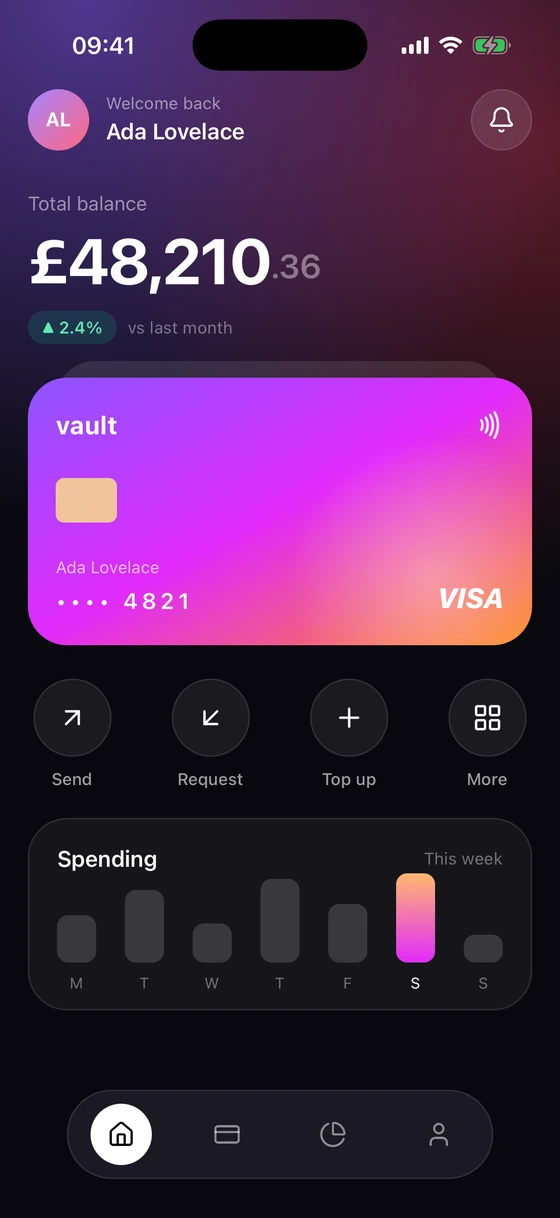
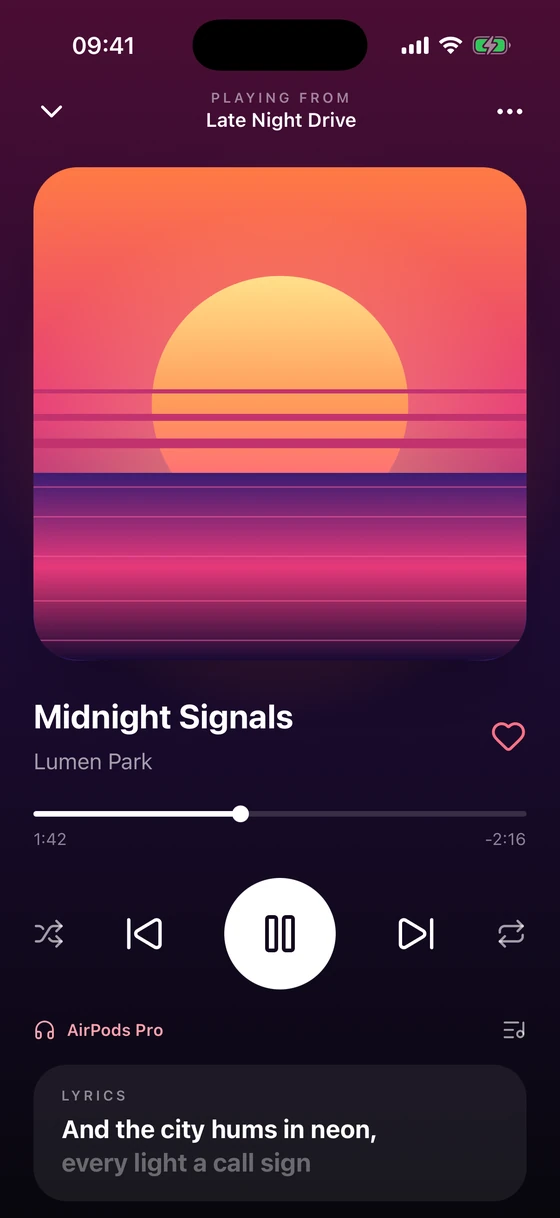
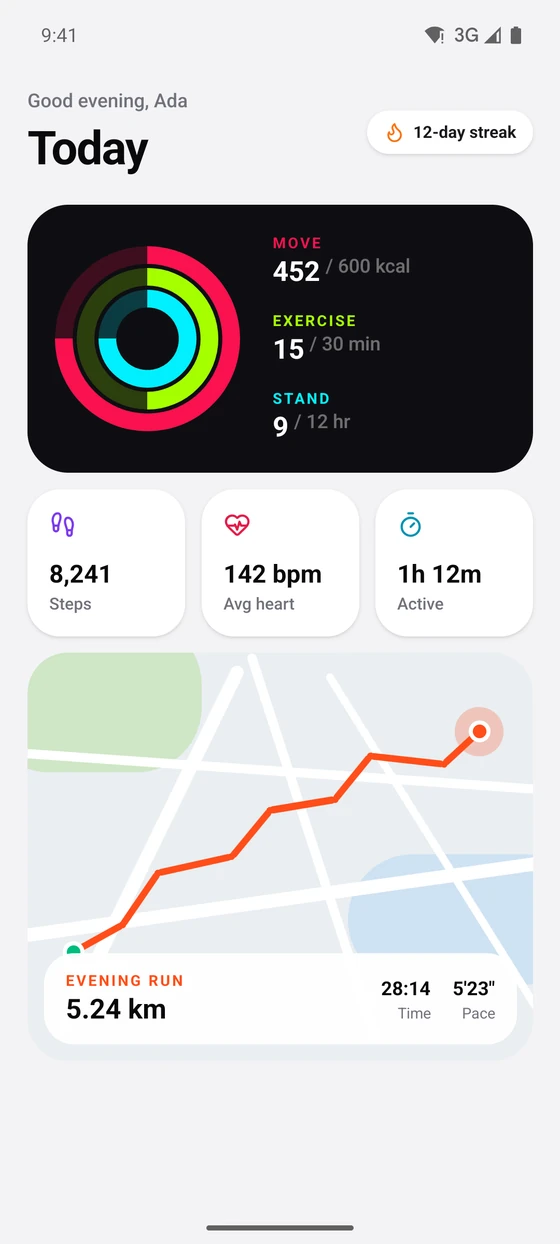
Features
What is in the box.
Native UI, CSS and Tailwind, navigation, component tests and Expo's modules, in the Angular you already know.
- 01Real native viewsAngular's Renderer2 drawing UIView and android.view.View through Expo. No web view.
- 02A real CSS engineSelectors, the cascade, custom properties, media queries and transitions, compiled at build time.
- 03Tailwind CSS v4Your Tailwind classes, plus ios:, android: and dark: variants.
- 04Native navigationAngular's Router on native stacks, tabs and headers, with deep links and Android back.
- 05Hot reload that keeps stateTemplate edits swap in on the device, and state survives.
- 06Signal FormsBound to native text fields and switches, and validated as you type.
- 07Lists that scaleVirtual and section lists render visible rows and a surrounding buffer.
- 08Icons from ng-iconsLucide, Heroicons or any @ng-icons set, drawn as native vectors.
- 09AnimationTransitions, @keyframes, animate.enter and animate.leave, and Reanimated worklets.
- 10Device services as signalsScreen, theme, keyboard, safe areas, app state and accessibility settings, as signals.
- 11Tests without a simulatorTesting Library in Node, against a fake native layer. The starter app includes one.
- 12End-to-end with MaestroMaestro flows drive the real app through its accessibility tree.
- 13The same components on the webRender them in a browser, or inside an Angular web app you already have.
- 14Ready for coding agentsNew apps ship an AGENTS.md, and the docs are published as llms.txt.
- 15Built on ExpoExpo Go, EAS, release builds, and Expo's modules as Angular services.
Styling
A CSS engine, compiled at build time.
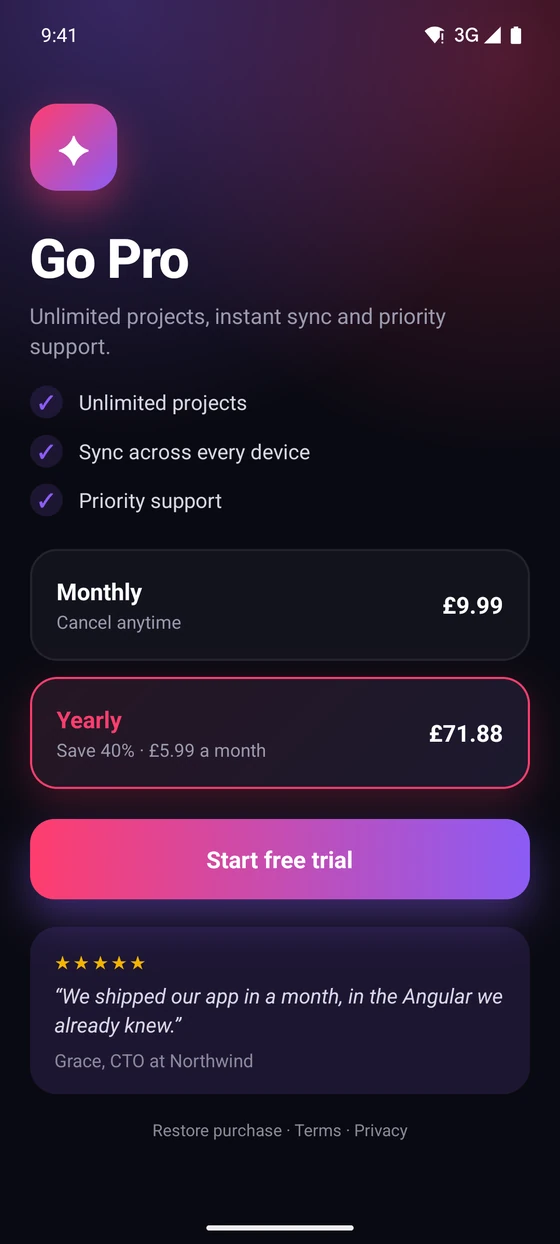
Write component styles in plain CSS. They compile when Metro bundles, then cascade over the native views the way a browser applies CSS to the DOM.
Selectors and combinators, :host, specificity and inheritance, custom properties, @media, transitions, keyframes, gradients, shadows and filters.
.plan:active {
  transform: scale(0.97);
}
.plan[data-selected] {
  border-color: var(--accent);
  background-image: linear-gradient(135deg, rgba(255, 61, 110, 0.08), rgba(139, 92, 246, 0.08));
  box-shadow: 0 10px 28px rgba(255, 61, 110, 0.22);
}
.plan[data-selected] .name {
  color: var(--accent);
}
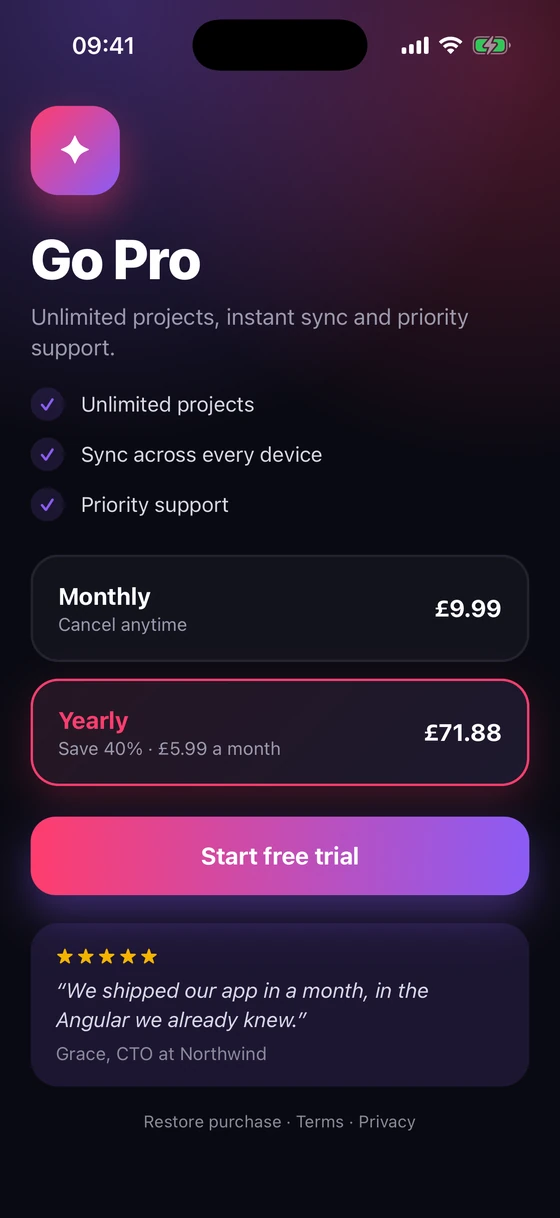
Tailwind CSS v4
Tailwind, on iOS and Android.
Use the Tailwind you know. Layout, spacing, colour, type, borders and gradients compile to native styles, and the same classes work on the web.
Add the native preset and connect Tailwind to Metro. A utility native can't draw is reported at build time, with the line it came from.
@import 'tailwindcss/theme.css';
@import 'tailwindcss/utilities.css';
@import '@ng-native/tailwind/native.css';
Plus the variants a device needs
ios: android:
Per-platform styles in one class string.
ios:text-3xl android:rounded-full
dark:
Follows the system theme, or your own switcher.
bg-white dark:bg-zinc-950
hover: press:
The press state on touch; real hover on an iPad trackpad.
bg-red-600 hover:bg-red-700
web: native:
Styles for the browser only, or the device only.
web:max-w-md native:flex-1
pt-safe
Padding and margins clear of the notch and home indicator.
pt-safe pb-safe-4
h-hairline
The thinnest line the screen can draw.
h-hairline bg-zinc-200
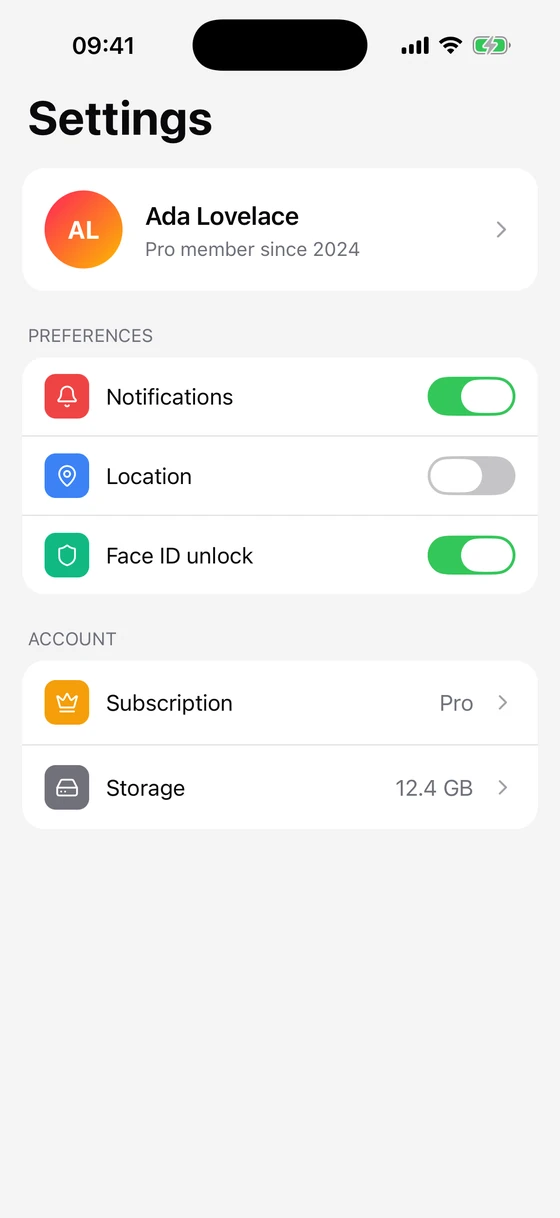
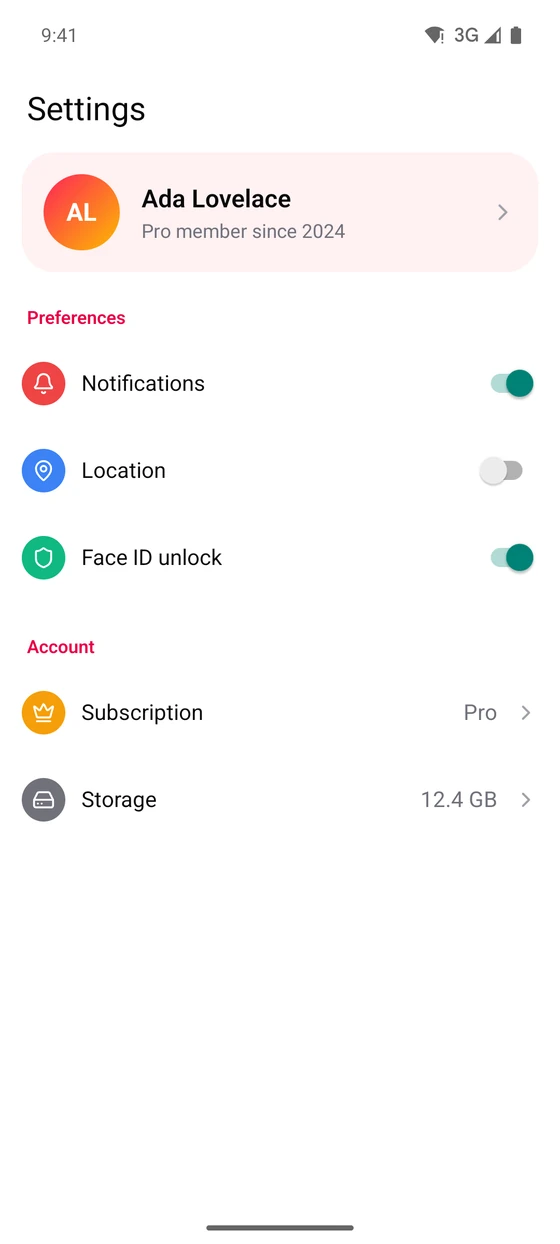
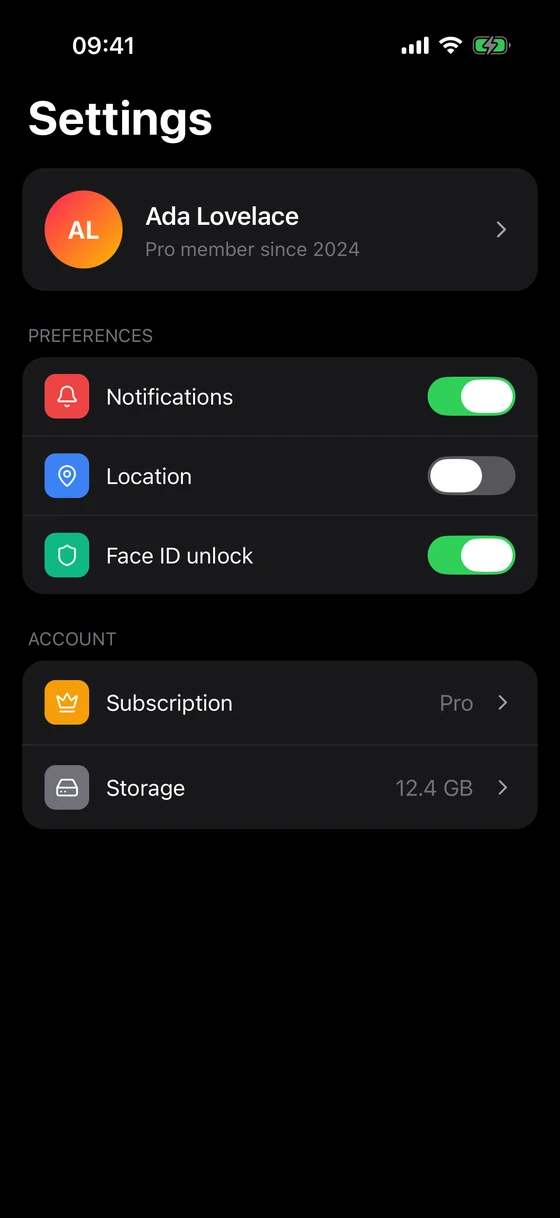
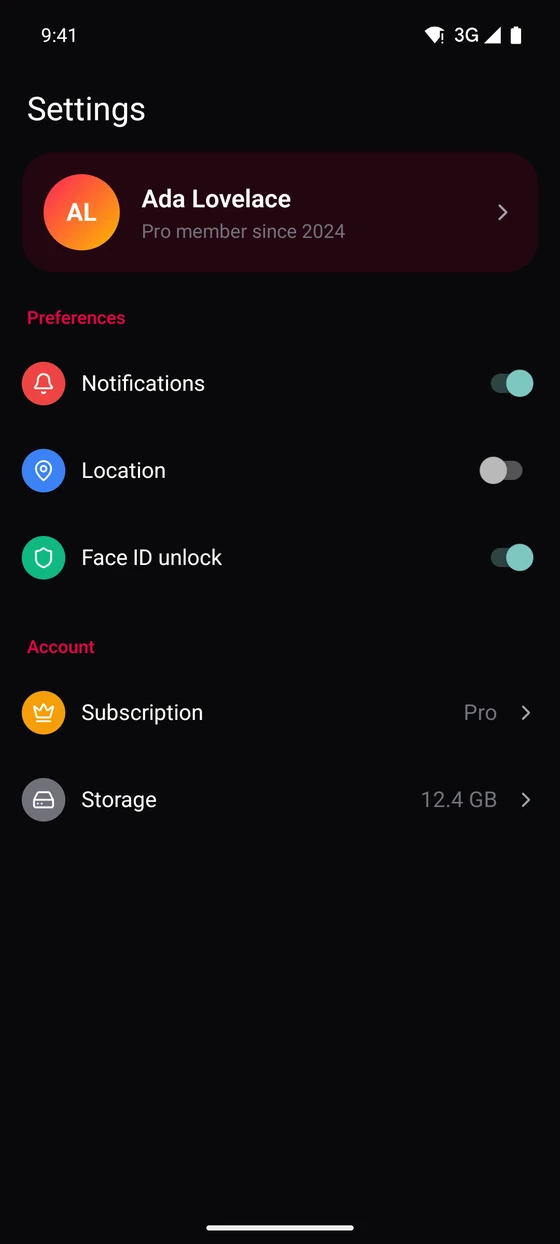
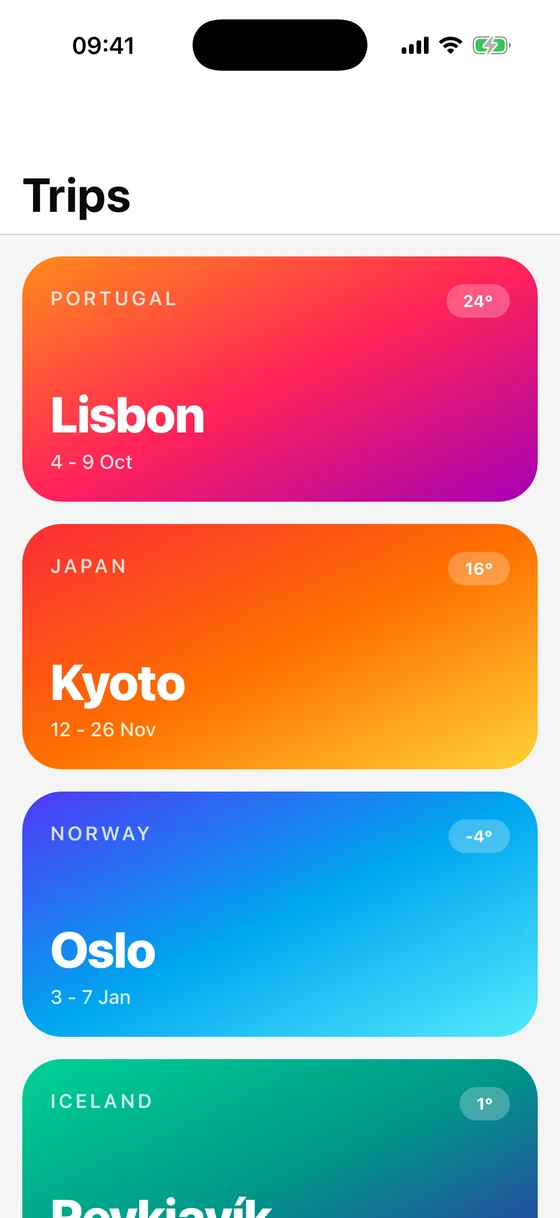
One template, four screens: iOS and Android, light and dark, from the ios:, android: and dark: classes below.
<view
  class="mt-4 flex-row items-center gap-4 bg-white p-4 dark:bg-zinc-900 ios:mx-4 ios:rounded-2xl android:mx-4 android:rounded-3xl android:bg-rose-50 android:dark:bg-rose-950/40"
>
  <view
    class="size-14 items-center justify-center rounded-full bg-linear-to-br from-rose-500 to-amber-400"
  >
    <text class="text-lg font-bold text-white">AL</text>
  </view>
  <view class="flex-1">
    <text class="text-lg font-semibold text-zinc-950 dark:text-white">Ada Lovelace</text>
    <text class="text-sm text-zinc-500">Pro member since 2024</text>
  </view>
  <ng-icon name="lucideChevronRight" size="20" color="#a1a1aa" />
</view>
Navigation
Angular's Router, on native navigation.
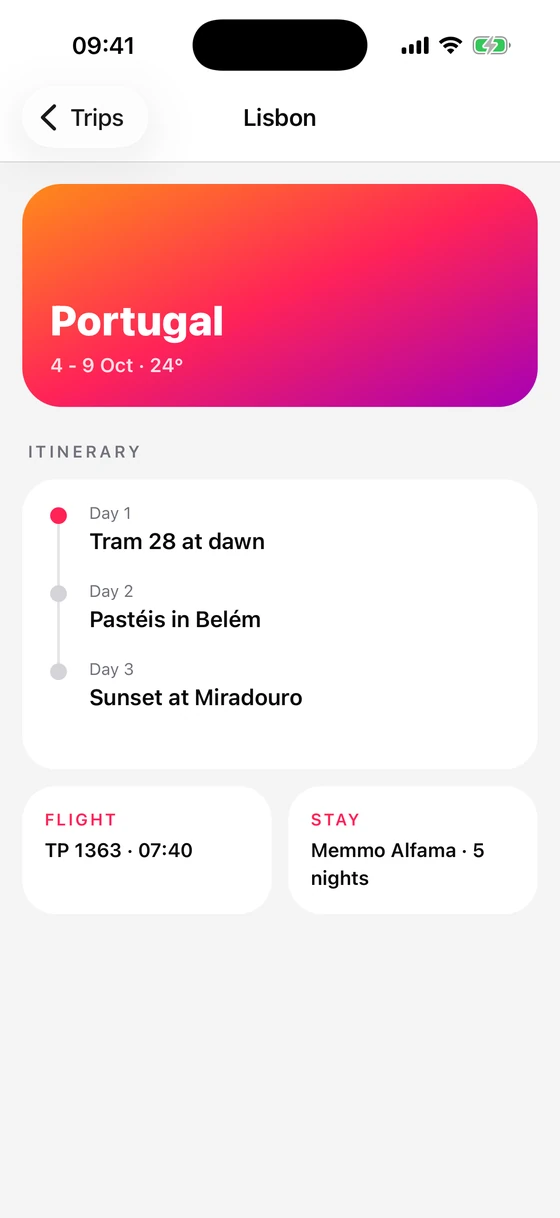
Your Routes, guards, resolvers and input binding, rendered as a native stack with the platform's header, large titles and back gesture. Tabs, sheets and modals are native too, and deep links and Android's back button are real navigations.
export const routes: Routes = [
  { path: '', component: Trips },
  { path: 'trip/:id', component: Trip },
];

/** What the app starts with: Angular's Router, on native navigation. */
export const providers = [provideNativeRouter(routes, withComponentInputBinding())];
Developer experience
Update templates and styles without losing component state.
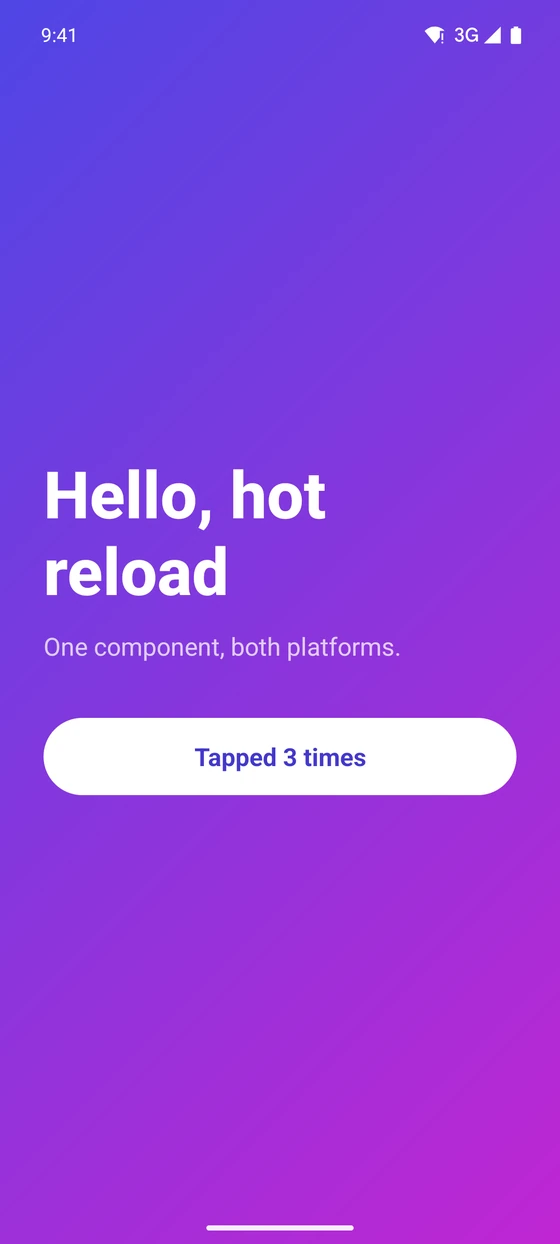
Save a template or stylesheet edit and it swaps into the running component. No reload, no Angular dev server, and state survives. A change to component logic reloads the app as usual.
- 1Templates and styles swap into the running app.
- 2Component state survives the swap.
- 3A change to component logic reloads the app.
Testing
Component tests in Node. No simulator.
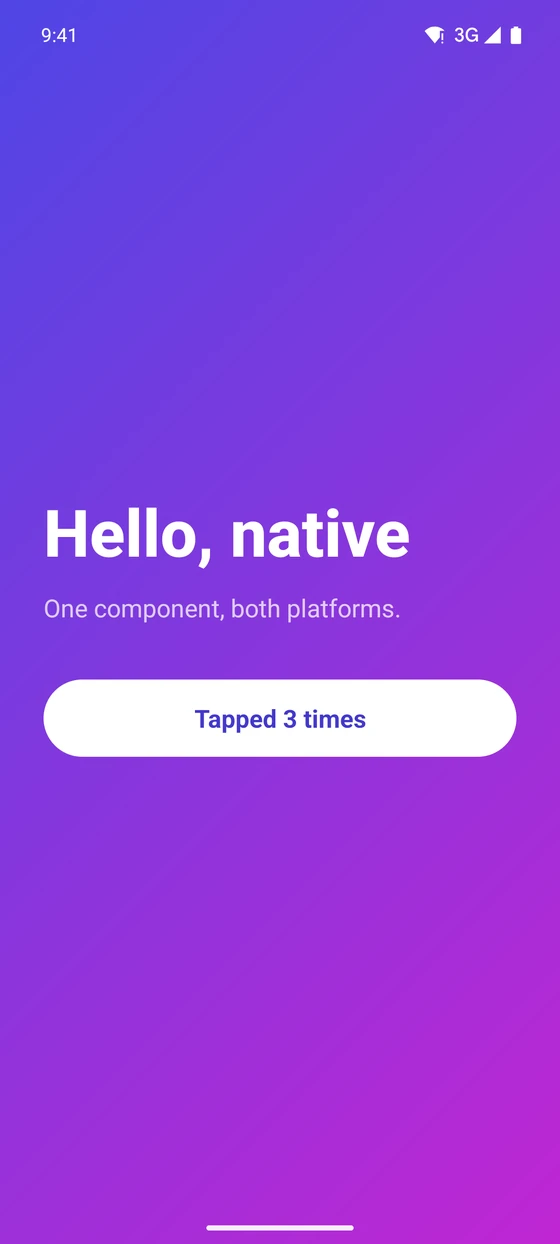
@ng-native/testing is Testing Library in Node, against a fake native layer. Render a component, press it, and query the result by role or text.
The starter app includes a test, and it runs in under a second with Vitest. For flows that need a real device, use Maestro.
import { render, screen, userEvent } from '@ng-native/testing';
import { expect, test } from 'vitest';
import { App } from './app.ts';

test('counts taps', async () => {
  await render(App);

  await userEvent.setup().press(screen.getByRole('button', { name: 'Tapped 0 times' }));

  expect(screen.getByText('Tapped 1 times')).toBeTruthy();
});
The platform
Built on Expo.
Develop in Expo Go, then build with npx expo run:ios, npx expo run:android or EAS, and use Expo's modules as Angular services, with signals wherever the device has a value to watch.
Haptics
The Taptic Engine and Android vibration.
Secure storage
The keychain and Android keystore, bound to a signal.
Notifications
Permissions, local notifications and the badge.
Over-the-air updates
Check for, download and apply EAS updates.
File system
Read and write files in the app's sandbox.
Network
Whether the device is online, as a signal.
Camera and photos
Pick from the library, shoot with the system camera, or capture from your own view.
Location
Where the device is, as a signal that follows it until you stop.
Face ID and fingerprint
The system prompt, and which kind of biometrics the device has.
Sign-in
OAuth in the system's own browser session, redirected back to your app.
Video and audio
Native players, released when the component that made them goes.
SQLite
A database on the device, opened on first use and migrated before any query.
Your Angular app belongs on every screen.
Angular Native is free, MIT licensed and built in the open. Sponsor its development.